





What is Sage Direct tipping?
Tips are sent to your own verified account with our payment partner (Stripe, Paystack or PayMongo, depending on your country). No employer or venue holds or redistributes the money. The customer pays the Service fee on top, so your tip amount isn't reduced by it. Funds reach your bank on your payment partner's payout schedule.
What your customers see
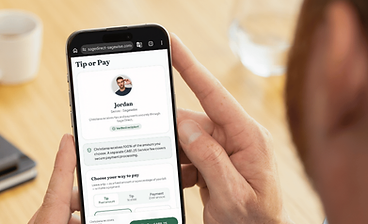
Your customers scan your QR code or open your payment link. They see your profile, choose an amount, and pay. No app required.
What you see
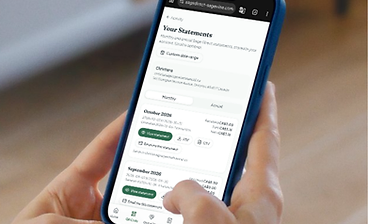
Confirmed tips appear in your Activity. View receipts, download statements, and keep your payment history organized.
How it works
- 1
Create your Sage Direct account
Sign up and set up your profile in minutes.
- 2
Complete your identity and payment setup
Verify your identity and connect your payout account so you can receive money.
- 3
Share your QR code or payment link
Put your Sage Direct QR code wherever customers can see it, or share your link by text.
- 4
Receive a tip
Your customer scans your code, chooses an amount, sees the total with the Service fee, and pays. They can leave a message too.
- 5
Track it in Sage Direct
Once the payment is confirmed, the tip appears in your Activity with its receipt. It is paid out to your bank on your payment partner's schedule.